



Deposit FAQs
Q: How to Make a Deposit (UPI)?
Answer
- Navigate to the Deposit section from the main menu.
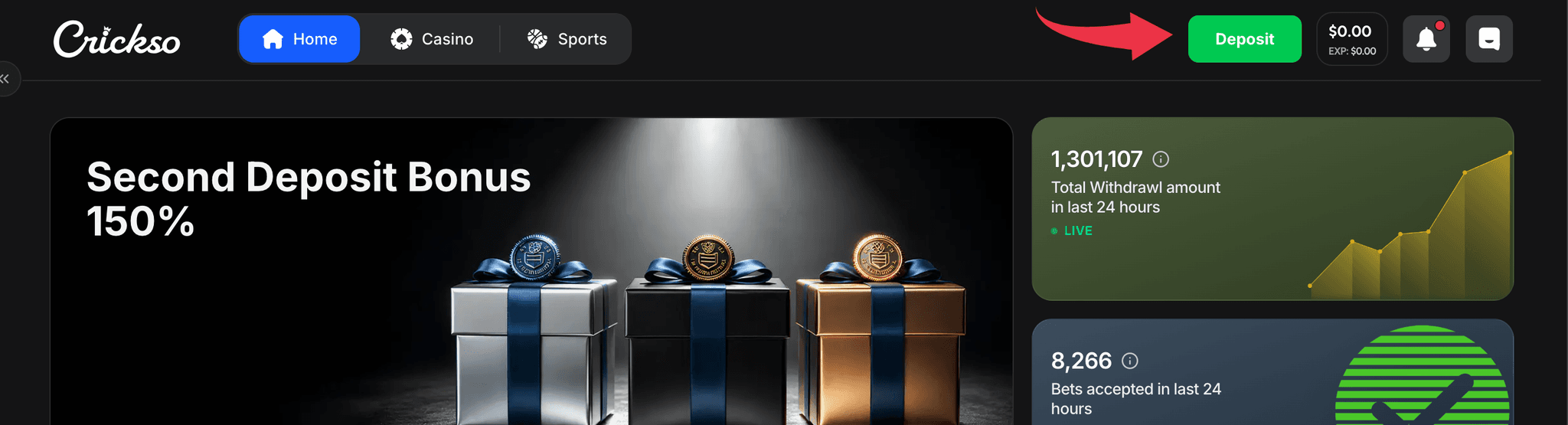
- Select FIAT from the available options.

- Enter the deposit amount (ensuring it meets the minimum deposit requirement) and proceed with the payment.
- Follow the on-screen instructions to complete the transaction.
Q: How to Deposit Using Cryptocurrency?
Depositing with cryptocurrency is quick, secure, and easy.
Step 1: Select Cryptocurrency: Go to Wallet > Deposit, choose Crypto, and select your preferred cryptocurrency (BTC, ETH, TRX, USDT, or USDC).
Minimum Deposit: USD 10
Step 2: Select the Correct Network: Ensure the blockchain network selected in your crypto wallet matches the network displayed on our platform.
Important: Deposits sent via an incorrect or unsupported network may result in permanent loss of funds.
Step 3: Copy the Wallet Address: Copy the wallet address or scan the QR code displayed on the deposit page. Always verify the address before proceeding.
Step 4: Complete the Transfer: Open your crypto wallet, paste the wallet address, enter the amount, and confirm the transaction.
Once the required blockchain confirmations are completed, your deposit will be credited automatically to your Crypto Wallet.
Processing Time: Typically 2–15 minutes, depending on the blockchain network and network congestion.
Q: Why Did My Deposit Fail?
Deposit failures are rare but may occur due to technical, banking, or account-related reasons.
Common reasons include:
- Insufficient funds in your bank account or wallet.
- Incorrect payment details.
- Transaction declined by your bank or payment provider.
- Deposit amount below the minimum limit.
- Poor internet or network connectivity.
- Temporary payment gateway outage or maintenance.
- Daily transaction or bank limit exceeded.
- Incorrect cryptocurrency or blockchain network selected (for crypto deposits).
What should you do?
- Verify your payment details.
- Ensure you have sufficient funds.
- Deposit at least the minimum required amount.
- Check your internet connection and try again.
- Try a different payment method, if available.
Note: If the issue persists, please contact support and share your Username, Transaction ID (for UPI) or hash ID for crypto (commonly called a TXID or transaction hash), and Deposit Amount so we can investigate further.
Q: Are There Any Deposit or Withdrawal Fees?
Answer: We do not charge any fees for top-ups or withdrawals.
Q: How long does it take to complete a deposit?
Deposits are generally credited instantly. However, it may take a few minutes for the transaction to be processed.
| DEPOSIT METHOD | IN PROCESSING (DELAY) |
|---|---|
| UPI | 2 TO 15 mins |
| Crypto | 2 TO 15 mins |
Points to remember:
- Deposits are processed through third-party payment providers, and while most transactions are completed within the expected timeframe, occasional delays may occur due to banking systems, payment gateways, blockchain confirmations (for crypto), or network congestion.
- We continuously monitor all transactions and make every effort to ensure your funds are credited to your gaming wallet as quickly as possible.
- If your account has been debited but the deposit has not yet been credited, please wait for the expected processing time. If the issue persists, contact customer support with:
- UTR/Transaction ID for UPI / hash ID for crypto (commonly called a TXID or transaction hash)
- Deposit amount
- Date & time of the transaction
- Screenshot of the successful payment confirmation
Our support team will investigate the transaction and assist you as quickly as possible.